A merge conflict asks for a decision about meaning, not merely the removal of punctuation. In this self-study workshop, two contributors change different facts that happen to occupy the same line. Your task is to preserve both intended changes, explain the result and prepare a small reviewable commit. Use a disposable local repository or work through the text on paper.
What the documented mechanism does
Software Carpentry explains that conflicting changes require a person to reconcile the content. Git marks the disagreement rather than silently deciding which version should replace the other.
Basic familiarity with saving files, staging and committing is useful. No remote repository or account is needed for the reasoning exercise. The example below is fictional: neither contributor’s version has authority simply because it is displayed first.
Inspect the original and both intentions
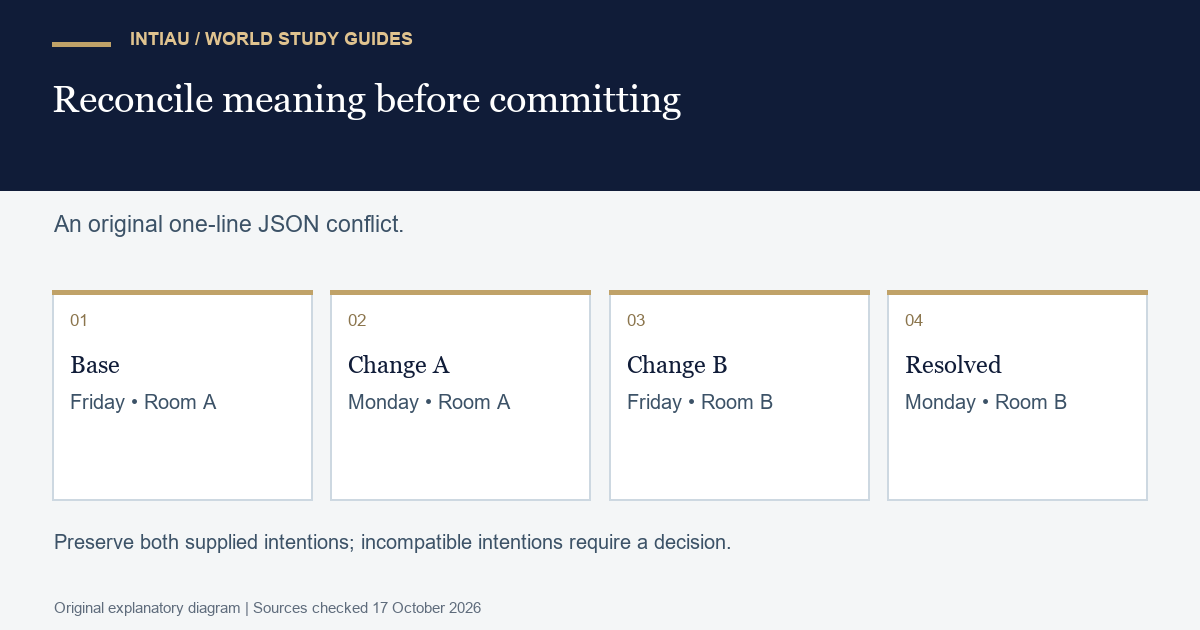
The shared file is called schedule.json. Initially it contains one JSON object on one line. Contributor A changes the deadline to Monday. Contributor B changes the room to B. They do not intend to reverse one another’s change, but the shared one-line representation puts both edits in the same textual neighbourhood.
| Version | Deadline | Room | Intended change |
|---|---|---|---|
| Base | Friday | A | Starting state |
| Contributor A | Monday | A | Deadline only |
| Contributor B | Friday | B | Room only |
Before editing, write two acceptance statements: the deadline must be Monday, and the room must be B. These statements capture the exercise’s supplied intentions. A different real conflict might involve incompatible intentions and require clarification; do not generalise this convenient example into an instruction to combine every disagreement.
Work the reconciliation
{"deadline":"Monday","room":"B"}This is the complete answer for the supplied fixture. It preserves A’s deadline and B’s room, and it removes the obsolete Friday and room A values. Keeping A’s entire line would lose B’s change. Keeping B’s entire line would lose A’s change. Keeping both objects would create two schedules where the exercise requires one.
Compare the proposed object with the base and then with each branch. Those are three useful comparisons. The base comparison identifies the total change. The branch comparisons explain what was retained from each contributor. State the result in ordinary language before committing: “Move the deadline to Monday and use room B.”
Review before recording the result
git diff
git diff --check
git status
git add schedule.json
git diff --cached
git commit -m "Combine deadline and room updates"
The sequence is a suggested local review order, not evidence that commands were run on your machine. Inspect the diff and file contents before staging. After staging, review the staged change rather than assuming it still matches an earlier screen. A clean-looking file can still contain the wrong meaning, so compare it against the two acceptance statements as well.
Do not solve the exercise by deleting the whole file or adding an unrelated formatting change. A small patch makes the decision easier to assess. If you prefer to reformat JSON later, keep that as a separate decision so the reconciliation remains visible.
Check the answer and extend it
Use the observable-behaviour testing workshop to think about checks that verify the promised result. The related notebook reproducibility exercise explores another way a plausible display can diverge from the intended state.
For an extension, let both contributors change the deadline to different days. The earlier two-rule answer no longer works: one field cannot hold both values in this schema. Mark the decision as unresolved and ask which deadline is intended. Recognising insufficient evidence is a successful review outcome. Explore further self-study topics in the workshop collection.
Questions about this exercise
Why not keep the version labelled current?
That label describes a branch position, not the authority of its content. In this fixture it would discard the other contributor’s intended change.
Does removing conflict markers prove that the file is correct?
No. The result must also satisfy the supplied deadline and room requirements and remain valid for its intended file format.
What should I do when both intentions cannot be satisfied?
Identify the incompatible field and request a decision. Do not invent a compromise that the contributors or requirements have not authorised.
Official reference
Software Carpentry: Conflicts, checked 17 October 2026. The schedule and worked resolution above are original.
Related guides
View the worked-example diagram