A map may contain three points but represent nine counted units. This workshop separates the number of point features from the sum of a weight attached to those features. You will reconcile both results and account for one point outside every polygon. All geometry and weights are fictional, and no live spatial dataset is needed.
Distinguish the three counting questions
QGIS 3.44 documents a point-in-polygon count that adds a result field to polygons. Its optional weight field sums numeric weights; its class option instead counts distinct classes.
The primary exercise compares ordinary count with weighted sum. The class option appears only in a short extension. Use basic arithmetic and a sketch of two nonoverlapping rectangles. Place each listed point clearly inside its assigned polygon or clearly outside, avoiding a boundary case that would require another convention.
Build the original spatial fixture
| Point | Polygon | Weight | Class |
|---|---|---|---|
| P1 | A | 2 | red |
| P2 | A | 3 | red |
| P3 | B | 4 | blue |
| P4 | Outside both | 7 | green |
The weight is an invented unit attached to a point, not its location and not the number of point features. Declare that meaning before calculating. Polygon A contains two features regardless of whether their weights are two and three or twenty and thirty.
Work the count and weighted sum
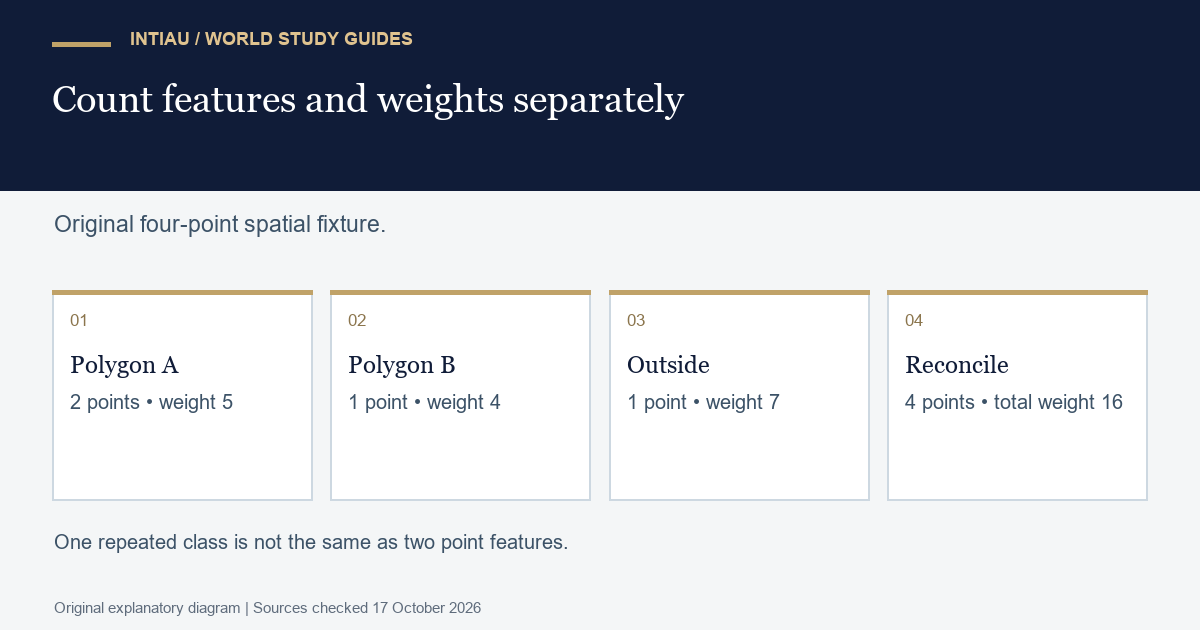
Polygon A:
plain count = 2 points
weighted sum = 2 + 3 = 5 units

Polygon B:
plain count = 1 point
weighted sum = 4 units

Outside:
plain count = 1 point
weight = 7 units
The polygon counts sum to three, while the input contains four points. The difference is explained by P4 outside both polygons. The polygon weights sum to nine, while all input weights sum to sixteen. The missing seven is the same outside point’s weight. These are two different reconciliations, both consistent with the fixture.
A statement that “A contains five points” is wrong: five is its weighted total. A statement that the polygon result lost P4 is also misleading without considering scope. The output summarises membership within A and B; the separate outside report preserves the remainder for review.
Test changes one at a time
For the first extension, change P2’s weight from three to ten without moving it. A’s plain count remains two, while its weight becomes twelve. That isolates a weight change from a geometry change.
For the second extension, return the original weight and move P4 clearly inside B. B’s plain count becomes two and its weighted sum becomes eleven. Polygon counts now total four and weights total sixteen. Record this as a different geometry fixture rather than silently overwriting the original answer.
Finally, consider distinct classes using the original table. A contains only one class, red, despite containing two points. This is a third question. Do not report its answer in a field labelled point count or weighted total.
Prepare a labelled output
Use field names such as point_count and weight_total, then include their units in the handover. Retain the outside-point list and the input totals so another reader can reproduce the reconciliation. If using QGIS, inspect which optional parameter is enabled instead of inferring the operation from the appearance of the map.
The unmatched-key audit also preserves records outside the intended relationship. The data-dictionary exercise helps define fields and units. More original exercises are in the workshop collection.
Questions about the totals
Why do the polygon counts total only three?
One of the four input points lies outside both polygons. Report that remainder explicitly.
Can the weights be interpreted as point counts?
No. The exercise defines them as a separate quantity. Counting features and summing weights answer different questions.
What happens to A when only P2’s weight changes?
Its number of point features remains two. Only its weighted sum changes, from five to twelve in the stated extension.
Official reference
QGIS 3.44: Point-in-polygon counting, checked 17 October 2026. The geometry membership and weights are original.
Related guides
View the worked-example diagram