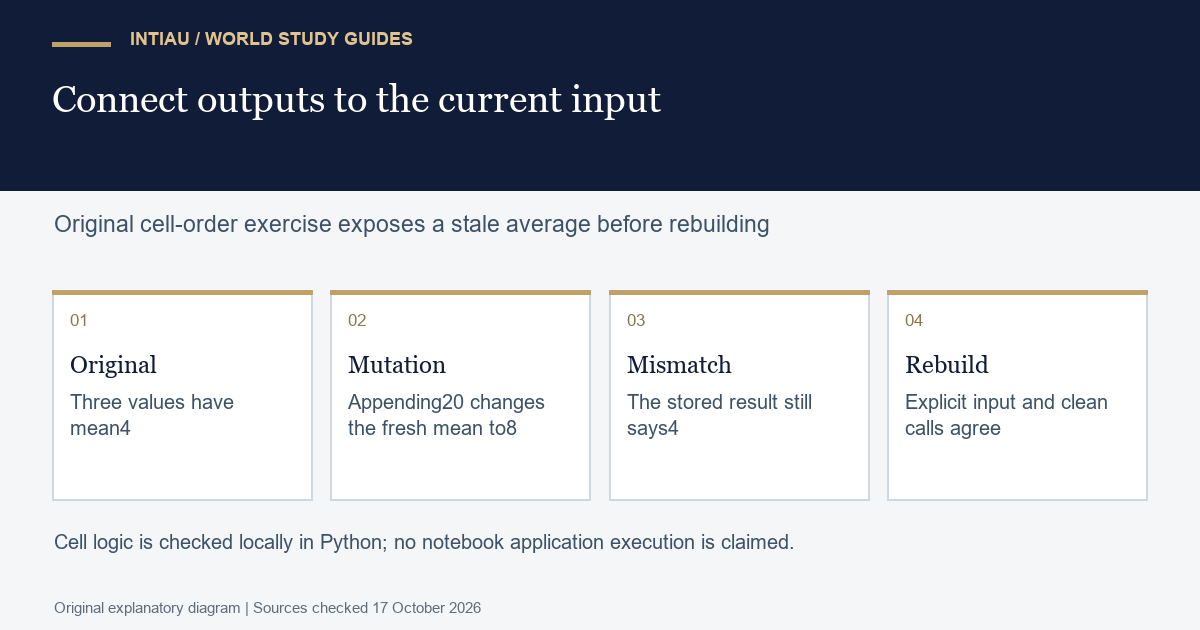
A notebook can display a plausible result that no longer corresponds to its current data. This workshop constructs that problem with three fictional values and then replaces it with a small ordered analysis. You will identify the first stale result, write a restart-and-run sequence and preserve the input definition. The task does not require an account, a notebook installation or a real dataset.
Documentation boundary
The official nbformat description explains that code cells hold source, outputs and an execution_count that can be an integer or null. Those stored fields are a record structure. The worked exercise separately checks whether its displayed result agrees with its current fictional input.
Construct a stale result deliberately
Cell A creates the list two, four and six. Cell B stores its average, four. Cell C appends twenty to the list without recalculating the stored average. The current list now has four values totalling thirty-two, so a fresh calculation would give eight. The previously stored average remains four. Write the expected state after each cell before trying the answer.
| Completed cell | Current values | Stored average | Fresh average |
|---|---|---|---|
| A | 2;4;6 | Not calculated | 4 |
| B | 2;4;6 | 4 | 4 |
| C | 2;4;6;20 | 4 | 8 |
| Rerun B after C | 2;4;6;20 | 8 | 8 |
The problem is not that either arithmetic answer is intrinsically impossible. Four belongs to the original three-value fixture, while eight belongs to the changed four-value fixture. The error is presenting one as a summary of the other. Your task is to make the relationship between input state and output state visible to a learner opening the analysis later.
Work the state check and clean pipeline
raw = (2, 4, 6)
namespace = {}
exec("values = [2, 4, 6]", namespace)
exec("average = sum(values) / len(values)", namespace)
assert namespace["average"] == 4
exec("values.append(20)", namespace)
assert namespace["average"] == 4
assert sum(namespace["values"]) / len(namespace["values"]) == 8

def analyse(source):
    if not source:
        raise ValueError("empty fixture")
    return {"count": len(source), "mean": sum(source) / len(source)}

first = analyse(raw)
second = analyse(raw)
assert first == second == {"count": 3, "mean": 4}
assert raw == (2, 4, 6)
print("stale stored mean4; changed-list mean8; clean pipeline mean4")
The first part verifies the stale state using a fresh dictionary of Python bindings and explicit cell-sized strings. It does not run a notebook user interface. The second part defines an immutable fictional input and a calculation that receives that input directly. Two clean calls both return count three and mean four, while the input remains unchanged. The checks demonstrate this small pipeline’s stated behaviour.
For a real local notebook, organise the narrative as purpose, fixture definition, validation, calculation, interpretation and limits. Keep the fixture or input-selection rule above every cell that uses it. Place parameters in one clearly identified section. A reader should not need to know which exploratory cells you happened to run yesterday to reproduce the final answer from the stated inputs.
Diagnose misleading reproducibility evidence
A sequence of increasing execution numbers can help explain activity, but the numbers alone are not this exercise’s acceptance test. The acceptance test is agreement between declared inputs, ordered calculations and observed outputs in a fresh state. A saved screenshot of mean four is also insufficient when the current values contain twenty. Preserve a small assertion or reconciliation table beside the reported summary.
Do not fix the stale result only by typing eight into a markdown paragraph. The calculation and narrative would then depend on a manual repair that may be forgotten after the next data change. Recompute the result from the declared input and update the interpretation from that result. Distinguish temporary exploration from the final ordered analysis so the reason for each retained cell is clear.
Prepare a reproducibility handover
Submit the stale-state table, the ordered input-to-result sequence and the fresh calculation checks. State the interpreter and any package versions actually used in your own environment rather than claiming that a current documentation page proves a package is installed. The worked arithmetic uses only ordinary Python; the local author verification recorded its available interpreter separately from the documentation edition.
For an extension, change the declared immutable input to two, four, six and twenty. A fresh run of the clean pipeline should return count four and mean eight. Both the result and caption must change together. Then restore the original fixture and confirm that count three and mean four return without depending on the extension’s state. This makes reproducibility a checkable relationship rather than a visual impression of a tidy notebook.
Questions for this exercise
What does a code cell store in the documented format?
The format includes source, outputs and an execution_count, whose value can be an integer or null.
Was a notebook application tested here?
No. The equivalent original cell logic was checked in fresh Python bindings; no notebook UI or kernel installation is claimed.
Why is a typed correction to the caption insufficient?
It can leave the calculation tied to stale state. Recompute from the declared input and update the interpretation consistently.
Official documentation
Explore the Courses overview or use Contact for general enquiries. This is an original INTIAU editorial self-study exercise; no qualification is awarded.
Related guides
View the study diagram